Details
The SDK code would get as the first element of the nodeList, that is nodeList[0], the signature referring to the entire SAML response, in fact the reference of the first signature <ds:Reference URI="#response_id"> points to the root object <samlp:Response ID="response_id" ...>. Therefore, verifying this signature will ensure that the entire content of the SAML response is intact and authentic.
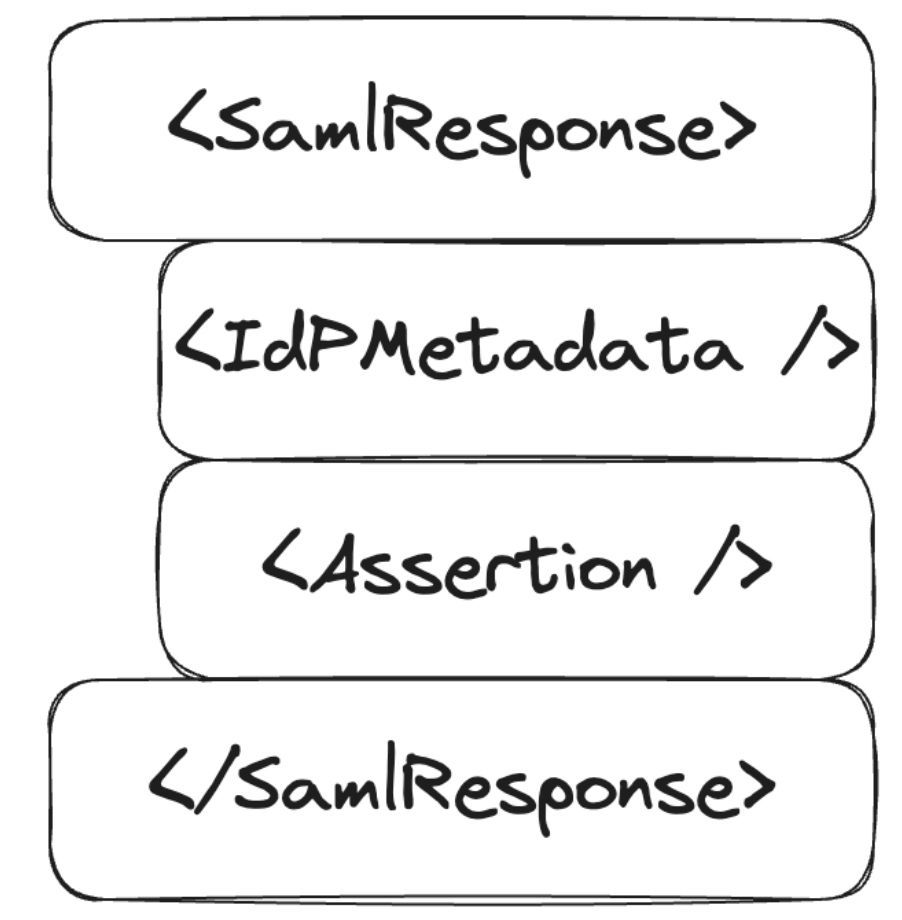
However, there is no guarantee that the first signature refers to the root object, so if an attacker injects a signed element as the first element, all other signatures will not be verified. The only requirement is to have a legitimately signed XML element from the IdP, which is easily accomplished using the public metadata of the IdP.
The SAML response would be structured like this:
Impact
An attacker could craft an arbitrary SAML response that would be accepted by SPs using the vulnerable SDKs, allowing him to impersonate any Spid and/or CIE user.
Complexity of the attack
The attacker needs an XML block containing a valid signature from one of the IdPs accepted by the SP. As described above, this requirement is satisfied by reading the public metadata of the IdP which is represented by a signed XML block of the IdP.
Related issues
N/A
PoC
- Clone the repository https://github.com/italia/spid-aspnetcore.git
- From the root of the project, enter the folder relating to the example webapp:
samples/1_SimpleSPWebApp/SPID.AspNetCore.WebApp/ - Change the value of the
AssertionConsumerServiceURLkey in the fileappsettings.jsonto a custom domain:https://$CUSTOM_DOMAIN:$CUSTOM_PORT/signin-spid - Compile and run the sample webapp using the following command, taking care to replace the placeholders with the same values used in step 3:
dotnet build "SPID.AspNetCore.WebApp.csproj" -o ./app/build && dotnet publish "SPID.AspNetCore.WebApp.csproj" -o ./app/publish && dotnet ./app/publish/SPID.AspNetCore.WebApp.dll -urls=https://$CUSTOM_DOMAIN:$CUSTOM_PORT - Visit URL:
https://$CUSTOM_DOMAIN:$CUSTOM_PORT/ - Click "Enter with SPID" > "DemoSpid" (second IdP in the list)
- Visit the "Response" > "Check Response" section
- Insert the following string into the "Audience" field (right column):
https://spid.aspnetcore.it/ - Click "Send response to Service Provider", note the redirect to
/home/loggedinand consequently the correct execution of the login on the example portal

- Repeat steps 5 to 8 inclusive
- Intercept the HTTP request generated in step 8 via an HTTP Proxy, such as PortSwigger's BurpSuite
- Perform URL-decoding and Base64-decoding of the POST
SAMLResponseparameter - Insert the content present at the following URL in the second line of the XML: https://demo.spid.gov.it/metadata.xml
- Change the contents of the tag
<saml:Assertion>, for example change theemailattribute to an arbitrary value:[email protected] - Run Base64-encoding and then URL-encoding the
SAMLResponseparameter - Send the request and note the redirect to
/home/loggedinwhich demonstrates the correct identification and therefore also the verification of the arbitrary signature inserted inSAMLResponsedespite the modification of the assertion

Recommended Solution
Verify all signatures within the SAML response and do not accept unsigned XML elements.
References
- https://cheatsheetseries.owasp.org/cheatsheets/SAML_Security_Cheat_Sheet.html
Credits